Live input monitor
The waveform stays active before recording, so a silent input or wrong target is visible immediately.
Focused audio capture for Windows
Choose a running app and capture only its audio—or switch to a microphone or the full Windows mix. A live waveform confirms the signal before you press Record.
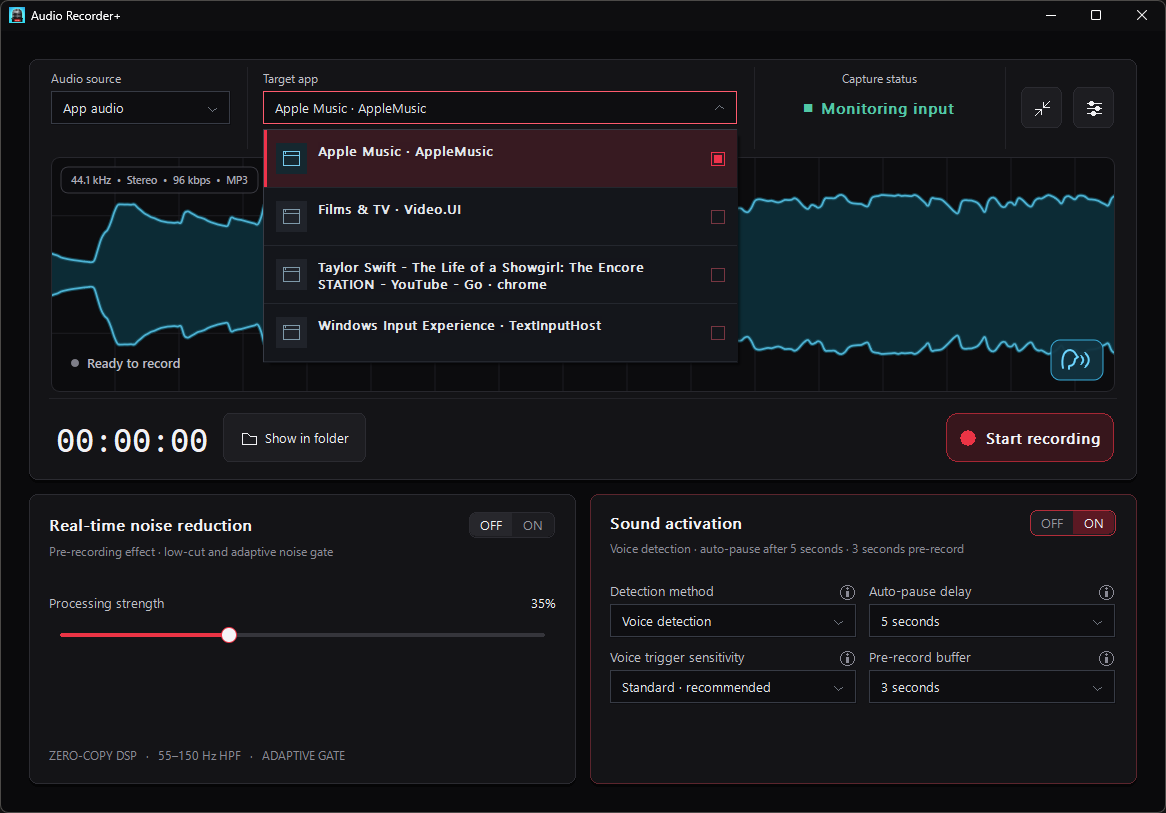
Inputs that stay ready
Follow the Windows default input or choose a connected microphone directly. Live monitoring confirms the device before recording, while voice or level detection can pause an active recording during silence and resume when sound returns.
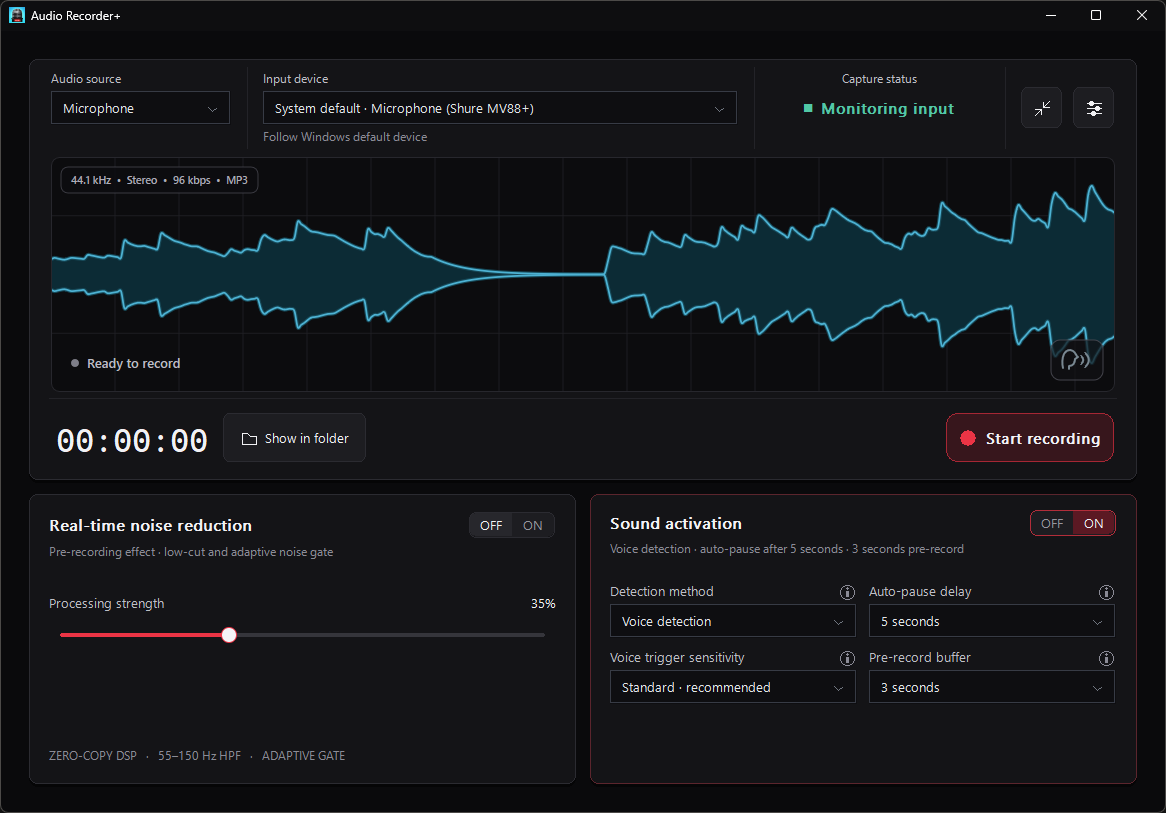
Serious recording without the clutter
The interface shows source, signal, recording state, processing, and automatic pause behavior together—without hiding the controls behind multiple pages.
The waveform stays active before recording, so a silent input or wrong target is visible immediately.
Voice or level detection can pause during silence and resume when sound returns. A 1–10 second rolling buffer restores the audio just before detection.
An adjustable low-cut and adaptive gate reduces steady low-frequency rumble and quiet background noise before audio reaches the file.
Compact mode
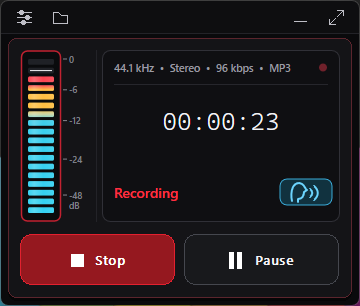
Move the recorder into a corner-friendly mode with a VU meter, stable timer, status indicator, and the core recording controls. It remembers the position you choose and keeps itself visible after display changes.
Encoding & storage
Audio Recorder+ filters settings to valid combinations, so sample rate, channels, bit depth, and bit rate remain compatible with the selected format.
Input monitoring, detection, noise reduction, and encoding run locally without an upload step.
Recording, manual pause, and automatic pause are visually distinct and share one explicit recording state machine.
A native Windows interface uses Direct2D with a GDI fallback while audio work stays away from the UI thread.
Questions
Clear behavior matters as much as clean audio.
Yes, on supported Windows systems. Select App audio and choose a running application. Audio Recorder+ does not silently fall back to system audio if that target becomes unavailable.
No. You start and stop the recording. Sound activation only pauses and resumes writing inside that recording when the selected voice or level signal disappears and returns.
The recorder writes the configured 1–10 seconds of rolling pre-record audio first, then continues in real time. If less audio is available, it restores everything it has.
No. Input monitoring, detection, noise reduction, and encoding run locally on the Windows PC.
Audio Recorder+ includes English, French, German, Japanese, Korean, Simplified and Traditional Chinese, Italian, Spanish, Portuguese, Russian, Arabic, Thai, Dutch, Swedish, and Turkish.

Audio Recorder+ 3.0
The new native Audio Recorder+ is being prepared for its Windows release.